Friday, May 14, 2010

Must-read book and new template for Storybook & Photoshop


Just finished reading "Son of Hamas - A Gripping Account of Terror, Betrayal, Political Intrigue, and Unthinkable Choices" and highly recommend it!  A look at the Israeli / Palestinian conflict through the eyes of the son of one of the founders of Hamas.  Stuff you never saw and will never see on TV - the insider's story.

Here's the left side of the latest 2-page set I've done. 
For Storybook Creator, download HERE


For Photoshop, download HERE


Here's the layout I did with it - my sweet little grandson Liam.


And a deal for you - some 1/2 price items for Storybook Creator (until May 19)
Black Gallery 12x12 pre-designed pages. Find them HERE


and
"Rebel" digital kit HERE
Please note: these are for use with storybook Creator 3.0. If you're looking for software that will help you create pages quickly and easily, check out STORYBOOK CREATOR 3.0.

If you use my templates, I'd love it if you'd leave me a comment and/or send me a link.  

Saturday, May 8, 2010

Layouts and new template for Storybook Creator and Photoshop

Here's a layout I did with a template I posted previously (and which is still available - check previous posts).


This one was done in Storybook - took about 10 minutes...


Here's the right side of the two page layout. I shared the left earlier this week and the left side is still avaialble it in the previous post. The one above is PHOTOSHOP and the link is HERE.  (This right side layout was shared last summer but I'll post it again in case you didn't get it and so you can have the right side of the two-page layout as well).

Below is the preview for the Storybook Creator template, and the link is HERE.


Here is the layout I did with it.


Both templates are completely editable (add a photo, delete a photo, move a photo, etc.) and are 12x12.

If you're interested in checking out Storybook Creator (versatile software at a great price of $69.95 Cdn) check HERE

Bookmark my blog if you're interested in my templates.  I don't seem to have the time to regularly post them on Facebook sites, etc.  If you use Google reader, you'll be alerted whenever there's a new post.

Questions?  Post comment below or in my C-Box on the right.


Sunday, May 2, 2010

More on Memory Manager and another free template

I had a question about the journalling feature in Memory Manager so I thought I'd include a screen shot so you can see how cool it is!


See all the info about the photo.  Name of the photo, when it was taken.  You can give 5 stars if it's one of your favorites, and  you can "Tell the story".  So great for jotting down those funny things that kids say, or the details of the photo, so that when you go to scrapbook it, it's all there for you.

Check out Memory Manager HERE, and watch the little video for more info. It's called Virtual Tour and you can find the link in the informational paragraph describing the product.

It's a great price - $44.95.  Not only does it help you organize your photos, but there's a \n assistant which runs you through the steps of enhancing your photos so they look their best.

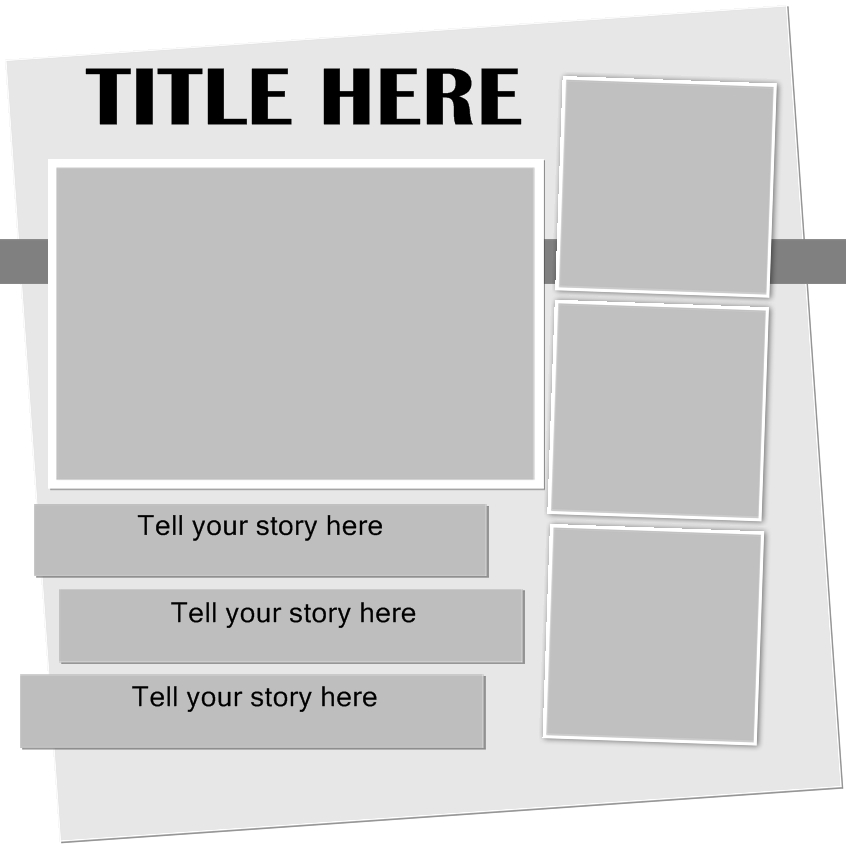
I have another 2-page spread for you.  Today will be the left side, with the right side to come shortly.
PLEASE do not share my templates on another web page, or forward them on to your friends (it is illegal).  Instead, give them the link to my blog and let them download for themselves. This also helps me to see how many people are interested in my templates, and encourages me to make more freebies for you to enjoy. Thanks so much.


This is the Storybook version and you can download it HERE.

The Photoshop version looks like this (custom shadow included) and you can download it HERE


I will include a layout with the next template so you can see what I did with it.......

As always, I appreciate your comments and look forward to reading them.  You can use the C-box on the right, comment at the 4shared site, or add a comment below.  Thanks so much!


Tuesday, April 27, 2010

Our computers are the new shoeboxes!

I remember when I first started scrapbooking, the goal was to get the photos out of the shoeboxes and into the albums where they could be enjoyed, and the stories told.

Well, our computers are the new shoeboxes!  We take the pictures, put them on our computers and too often, that's where they stay.  And even worse than the "olden days" when they remained in the shoeboxes, now we run the risk of losing everything if our computers crash.

Need help getting those photos organized?  Check out Memory Manager.   There's a Virtual Tour at the bottom of the first paragraph.

This program is a great organizational for traditional paper scrappers, as well as for digital scrappers.

Features

• Organize your digital images from digital cameras, scanners or CDs
• Store digital images and journaling with the exclusive Memory VaultTM feature
• Organize and store your audio (.mp3, .wav, .wma) and video clips (.avi, .wmv, .mpg, .mp4, .mov)
• Image enhancement features such as color correction, red eye, cropping and much more
• Print your digital images online or at home with the click of a button
• Keep track of printed or non-printed photos

I really like the journalling feature.  You can quickly jot down notes about the photo and keep it right there with the photo, ready to scrapbook when you are.

Available as a download or on CD

New templates for Storybook Creator as well as for Photoshop - another two-page spread.  Hope you like them.  I'd love it if you'd post a comment below.


STORYBOOK CREATOR LEFT SIDE

STORYBOOK CREATOR RIGHT SIDE

PHOTOSHOP LEFT SIDE

PHOTOSHOP RIGHT SIDE

Enjoy and I'd love to hear from you.  Just a little encouragement motivates me to make more!

Saturday, April 24, 2010

Last two free templates now available in Photoshop.....

... as well as for Storybook Creator 3.0.
After I was finished making them, I noticed there are a couple of slight differences, but they're pretty close for both programs.


Here are the links for the templates in photoshop


And I'll include them again for Storybook Creator as well:


Thank you, Photoshop users for your comments.  It's because of you that I re-created these templates for Photoshop.  Keep on giving me feedback, please!  Now I'd like to hear from Storybook users as well.  Please leave me a comment on the templates below.  Also, feel free to ask any questions you may have about Storybook Creator 3.0  

Please send me a link if you use the templates - I'd love to see what you do with them.

And I'd love to know what types of templates you like - multiple photo, 2-page spread, large photo, small photo, etc.....

Have you seen the SIMPLY BEAUTIFUL content  shown here on CD - it's also available as downloads if you prefer.  Please note: You must have Storybook Creator to use this content.

Till next time!
Irene


Wednesday, April 21, 2010

Free Storybook Creator Template - right side of two page spread

Here's the right hand of the two-page spread.  This is a template for use in Storybook Creator.

If you would like me to post them for Photoshop, post a comment below.  Also check other posts- there are lots of Photoshop templates posted on my blog.

Download STORYBOOK CREATOR LIVE TEMPLATE


You'll find information about Storybook Creator in previous posts.  If you're looking for inexpensive software that will help you create pages, photobooks and more, check out Storybook Creator 3.0.  Versatile software, suitable for use by beginners to experts.
Check out the video HERE and click on Virtual Tour on the right hand side.


Monday, April 19, 2010

Creative Memories Live Template freebie

Here is my first live template share for Storybook Creator 3.0! I had great fun creating it and am stoked to have figured out how to share it.  Hope you enjoy it.  Please let me know!

You can download it HERE

This is the left side of a 2 page spread.  I will post the right side soon. I have another 2-page spread to share soon.

Storybook Creator 3.0 is a great tool for digital scrapbooking.  Check it out here
This is very robust software at a very reasonable price.  Any questions?  Just ask.